 Habiter
Prayer tracker for iPhone
Keep your daily prayers in one place.
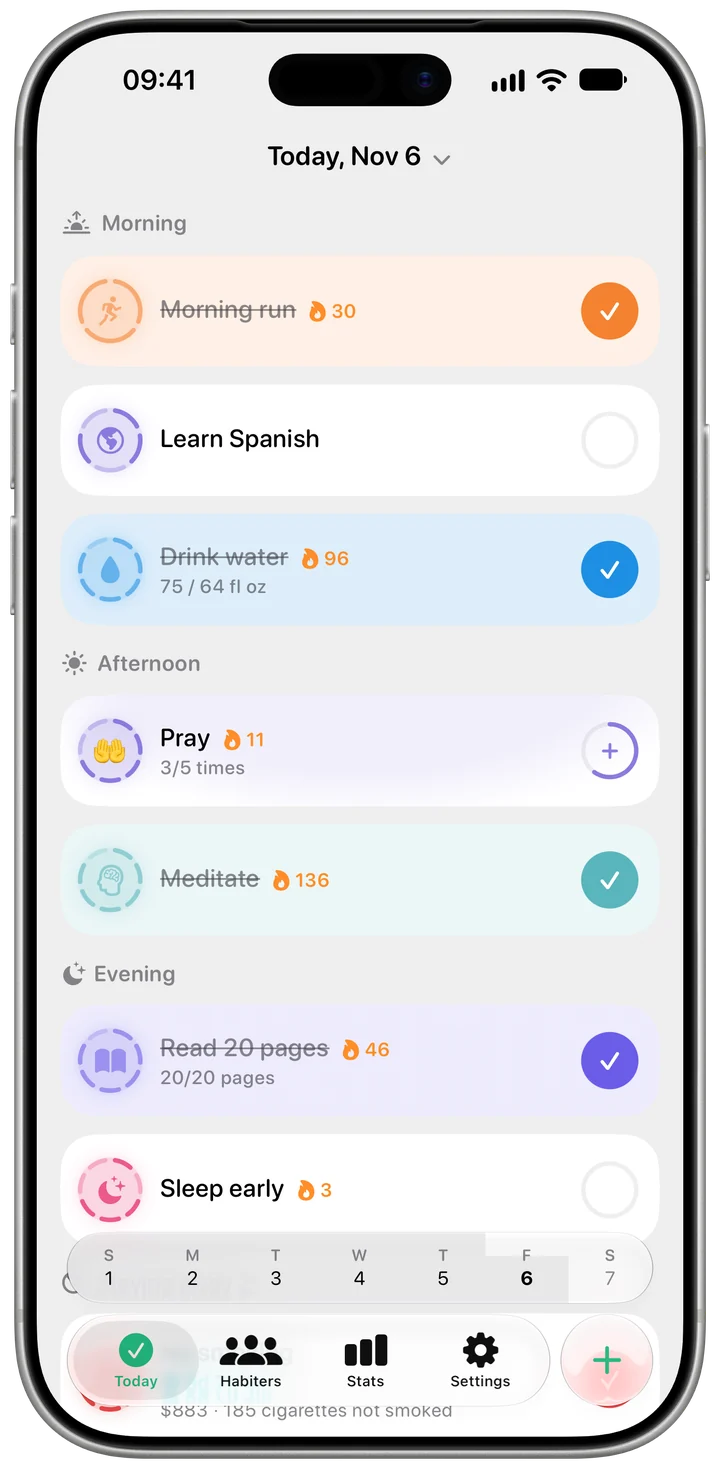
The Pray template is a daily check-off with a reminder. If you pray several times a day, change the goal to a count, say five, and each tap adds one, so the day shows how many you've prayed.
 Free · No account · No ads
How it works in Habiter
- 1
Once a day or several times
Pray starts as a daily check-off. For five daily prayers, set the goal type to Count and the daily target to 5.
- 2
One tap per prayer
Each tap adds one and the row shows how far you are, for example 3/5.
- 3
Reminders
One reminder a day is free; with Habiter Pro you can add one for each prayer time. Once the day's goal is reached, the rest of the day's reminders stay quiet.
- 4
Streak and calendar
Every day you reach your goal fills in on the calendar and keeps your streak going.
Making it stick
- Enter your own times
Habiter doesn't calculate prayer times; set your reminders to the times you usually pray.
- Count, don't judge
If you miss one, the count shows it honestly, and the next day starts fresh.
- Write a line after you pray
Every day has a journal page: keep an intention or a thought there.
What you get for free
- A daily check-off or a count of prayers
- A reminder at the time you choose
- Streak, calendar and statistics
- A journal page for every day
With Habiter Pro you can set a reminder for each prayer time instead of one a day.
Questions people ask
Is the prayer tracker free?
Yes, with no ads. The check-off, the count of prayers and one reminder a day are free; several reminders a day come with Pro. The free plan keeps up to 5 habits.
Does Habiter know the prayer times for my city?
No. Habiter doesn't calculate prayer times; you set your own reminder times.
Can I track five daily prayers?
Yes. Set the goal type to Count and the daily target to 5; each tap adds one prayer and the day is complete at five.