 Habiter
Journaling habit tracker for iPhone
Write a little, every day.
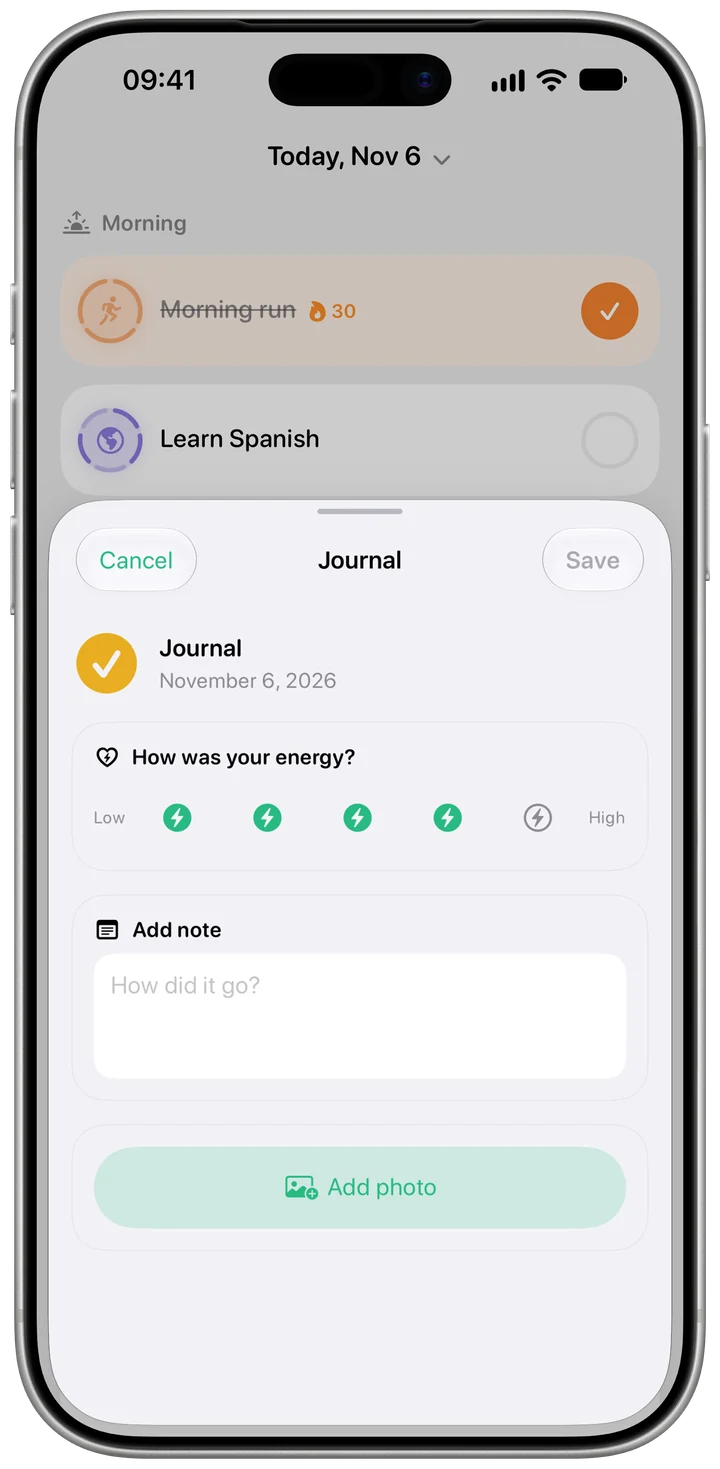
The Journal and Gratitude templates are simple daily check-offs with a reminder and a streak. Write wherever you like, in a notebook or a notes app, and tick the day. To keep a line in Habiter itself, every day has a journal page for a note, a photo and how your energy was.
 Free · No account · No ads
How it works in Habiter
- 1
Pick Journal or Gratitude
Both are daily check-offs with a reminder at noon; move it to the time you usually write.
- 2
Write, then tick
Tap the habit on Today to tick the day. Each day you write adds to your streak.
- 3
Keep a note in Habiter
Open the day's journal from the pencil button or by holding the habit: rate your energy from 1 to 5, add a note and a photo, then save.
- 4
Read back
Your entries are listed on the habit's page.
Making it stick
- Keep it to three lines
A short entry you write every day beats a long one you dread. Three things you're grateful for are plenty.
- Write at the same moment
Before bed or with your morning coffee: tie it to something you already do.
- Note how your energy was
After a few weeks, the energy ratings show which days go well.
What you get for free
- A daily check-off with a reminder
- A journal page for every day: note, photo and energy
- Streak, calendar and statistics
- Your entries on the habit's page
Questions people ask
Is the journaling tracker free?
Yes, including the journal page, with no ads. The free plan keeps up to 5 habits.
Does writing a note tick the habit?
No. The note and the tick are separate, so you can tick a day you wrote on paper and still add a line in Habiter.
Are there gratitude prompts?
No set prompts; the Gratitude template is a daily check-off you use as you like.
Similar habits
Meditation
A ten-minute meditation timer with guided breathing, calming sounds and a bell at the end.
Prayer
A daily prayer habit, once a day or five times, with reminders and a streak.
Quit social media
A clean-time counter for days off social media, a three-minute craving timer and a log of what sets you off.