 Habiter
Meditation timer for iPhone
A daily meditation, with your breath to follow.
The Meditate template sets a goal of 10 minutes a day. Press play and a breathing circle guides you in and out, with rain, waves or a calm tone in the background if you like, and a bell when the time is up.
 Free · No account · No ads
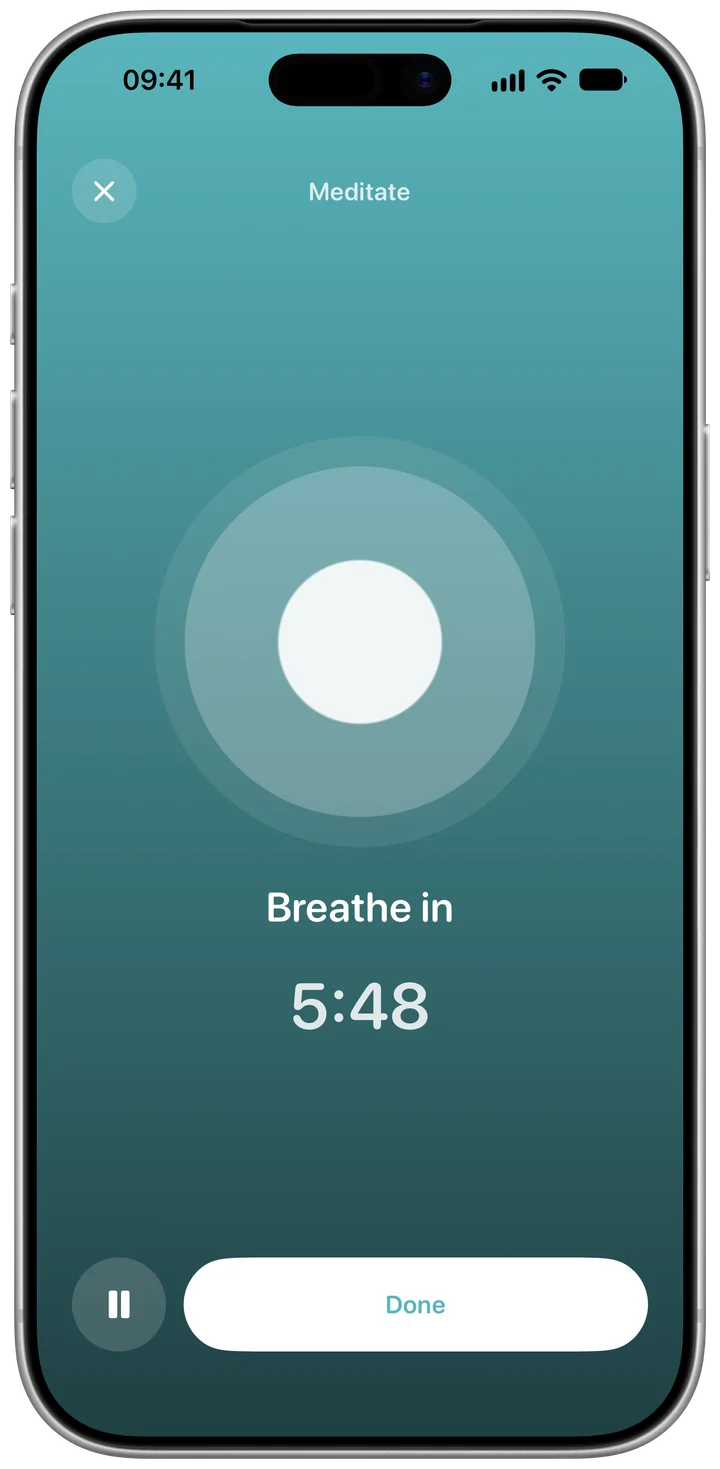
How it works in Habiter
- 1
Choose length and sound
Press play on Today. Set the length, from one minute to two hours, and pick a sound: off, rain, waves or a calm tone.
- 2
Follow the circle
A breathing circle tells you when to breathe in, hold and breathe out, with a soft vibration at each change. Choose calm, box or 4-7-8 breathing, or silent to breathe naturally.
- 3
A bell at the end
When the time is up, a bell sounds and "Well done" closes the session. Several short sessions add up to the day's goal.
- 4
Mindful minutes in Apple Health
Turn on "Sync with Apple Health" and every session is saved as mindful minutes.
Making it stick
- Start with less than ten
Three minutes a day you actually do beat ten you skip. Lower the goal and raise it later.
- Same place, same time
Meditating right after waking or before bed ties the habit to something you already do.
- Try box breathing when you're tense
In for four, hold, out for four, hold: it gives your mind something simple to follow.
What you get for free
- A timer from one minute to two hours
- Guided breathing: calm, box or 4-7-8
- Rain, waves or a calm tone
- Sessions saved to Apple Health as mindful minutes, if you turn it on
Questions people ask
Is the meditation timer free?
Yes, all of it, including saving to Apple Health, with no ads. The free plan keeps up to 5 habits.
Are there guided meditations?
There's no voice guidance; Habiter guides your breathing with a moving circle and gentle vibrations, with an optional background sound.
Does it work with Apple Health?
Yes, if you turn on "Sync with Apple Health": each session is saved as mindful minutes. It doesn't use the free plan's one Apple Health habit.