 Habiter
Walking tracker for iPhone
A daily walk, timed or counted in steps.
Two templates cover walking. Take a walk times your walks against a daily goal of 20 minutes. Steps reads your step count from Apple Health and ticks the day itself at 8,000. Use one or both.
 Free · No account · No ads
How it works in Habiter
- 1
Start a walk
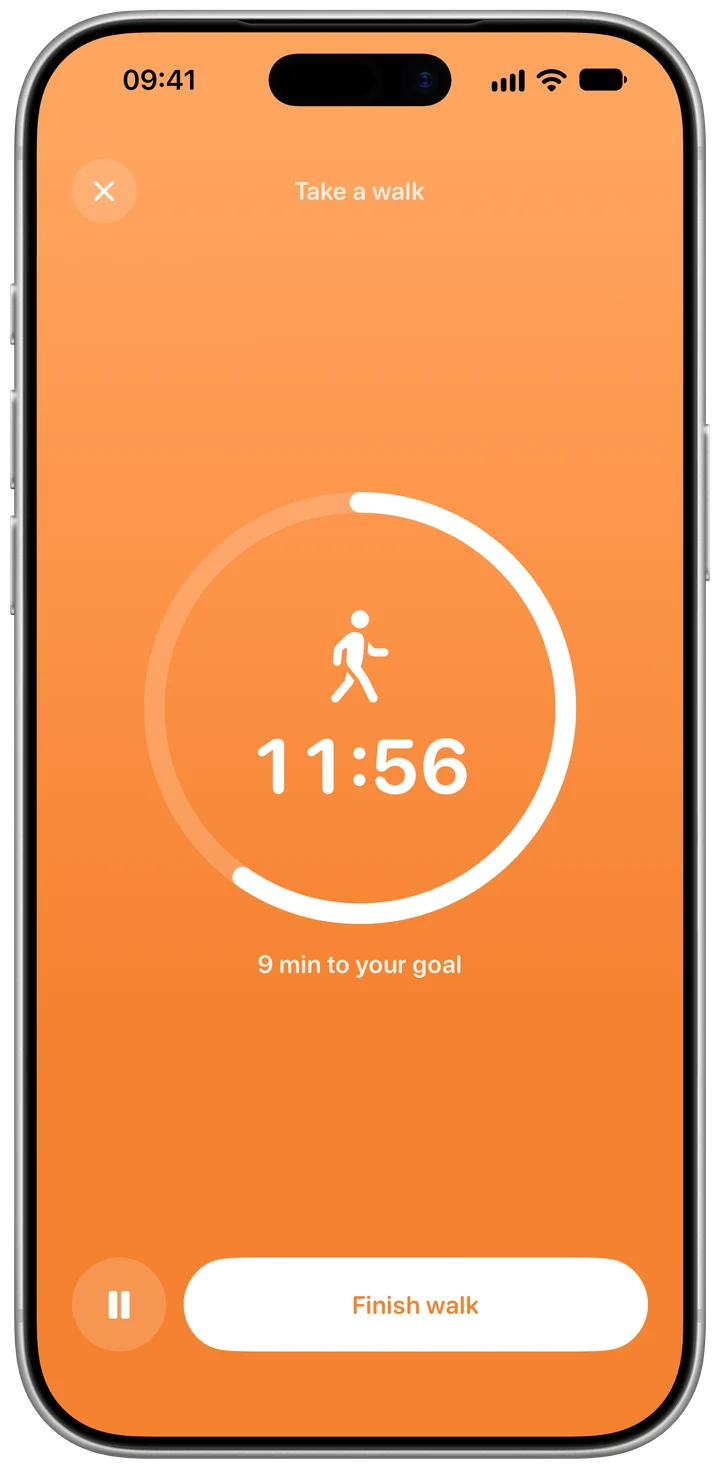
Tap play on Today, then "Start a walk". The time counts up and a ring fills toward your daily goal, 20 minutes to start with.
- 2
Goal reached, keep going
When you reach the goal, Habiter tells you with a vibration and a notification; walk on if you like. Several walks a day add up.
- 3
Or let your steps count
The Steps template, in the Health tab, reads your daily step total from Apple Health and ticks the day at 8,000 steps, or the goal you set. When it completes in the background, you get a notification.
- 4
Fill in past days
When you add Steps, Habiter can read the past year from Apple Health and mark the days you already reached the goal, so your history doesn't start at zero.
Making it stick
- Walk at the same time each day
After lunch or after dinner: tie the walk to a meal and it rarely gets skipped.
- Start with ten minutes if 20 feels long
Change the goal on the habit's Goal page and raise it later.
- Let Apple Health do the counting
If your phone is with you all day, or you wear an Apple Watch, the Steps template needs no taps at all.
What you get for free
- A walk timer with a daily goal
- Walks saved to Apple Health as workouts, if you turn it on
- A step goal Apple Health completes for you, on one habit
- Past days filled in from Apple Health
With Habiter Pro, Apple Health can complete any number of habits, not just one.
Questions people ask
Is the walking tracker free?
Yes. The walk timer and saving walks to Apple Health are free. On the free plan Apple Health can complete one habit by itself, such as Steps; Pro lifts that limit. The free plan keeps up to 5 habits.
Does it use GPS?
No. A walk is timed, not mapped. If you save walks to Apple Health, the steps Health counted during a walk are shown with it.
What step goal should I set?
The template starts at 8,000 steps. Look at your usual daily steps in Apple Health and set a goal a little above them; you can change it any time.
Similar habits
Home workout
Bodyweight workouts planned for your level, with a drawn guide, a voice coach and rep counting.
Stretching
Guided stretch routines for the morning, the desk or bedtime, with timed holds and a voice coach.
Wake up early
A real alarm that rings on silent and ticks your wake-up habit when you stop it.