 Habiter
Alcohol-free days counter for iPhone
Count your alcohol-free days.
The Alcohol template counts your alcohol-free time from the moment you start, in days, hours and minutes. Tell it how many drinks a day you used to have and what they cost, and it also counts the drinks not had and the money saved.
 Free · No account · No ads
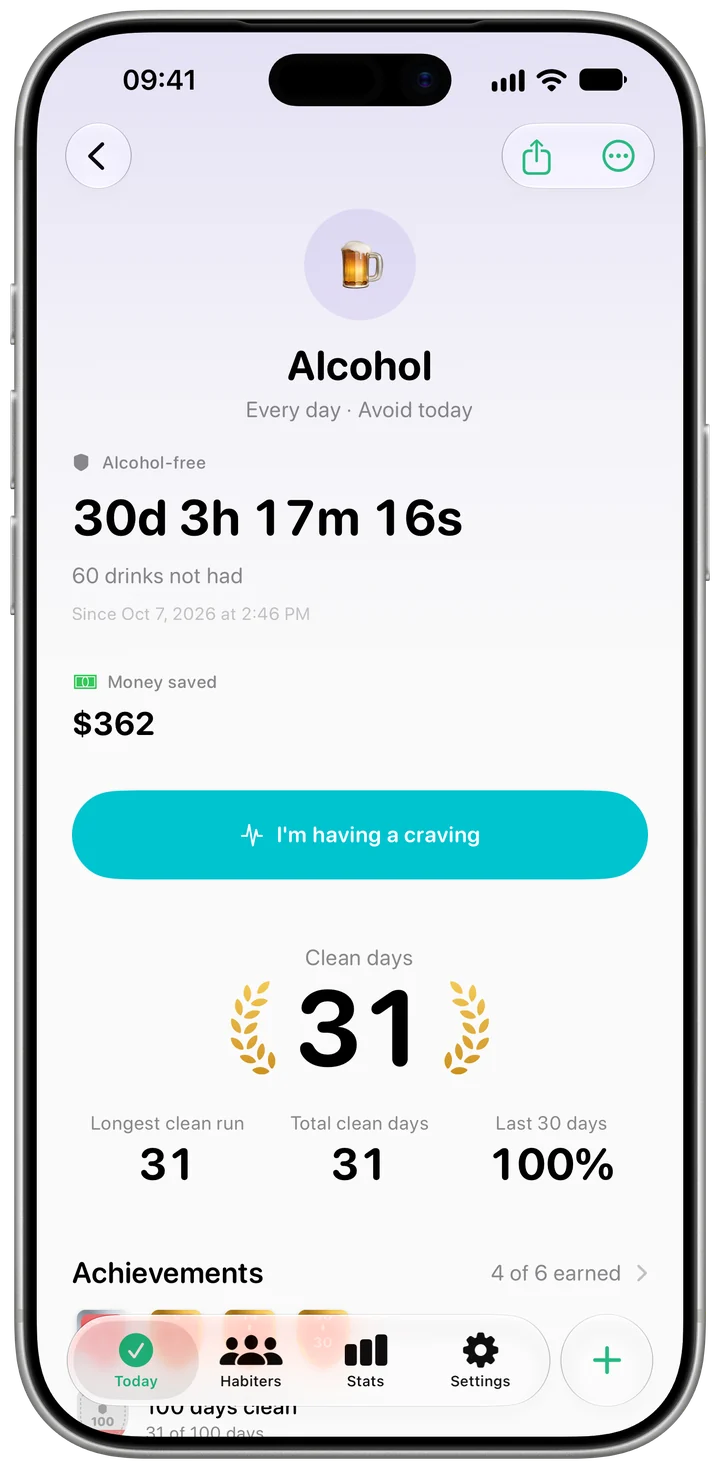
How it works in Habiter
- 1
Start the counter
Pick Alcohol from "Quit a habit". The clock starts at that moment, or set an earlier start if you stopped a while ago.
- 2
Add your numbers, if you like
Enter how many drinks a day you used to have and what they cost. The habit's page then shows the drinks not had and the money saved, both counted from the day you stopped.
- 3
When a craving comes
Tap "I'm having a craving" for a three-minute ring with 4-7-8 breathing, then note whether it passed, how strong it was and what set it off.
- 4
If you drink
Tap "I drank". The alcohol-free clock restarts, while the drinks not had and the money keep their count, minus that drink.
Making it stick
- Know your triggers
The "Your cravings" card shows which situations come before a craving most often, so you can plan around them.
- Plan the hardest hours
Cravings often come at the same time of day. Once you have logged a few, Habiter shows the hour they most often come.
- Get support if you need it
Habiter is a counter, not treatment. If stopping is hard or makes you unwell, talk to a doctor or a local support service.
What you get for free
- An alcohol-free counter in days, hours and minutes
- Drinks not had and money saved, if you add your numbers
- A three-minute craving timer with 4-7-8 breathing
- Milestones from 3 to 365 days clean
Questions people ask
Is the quit drinking counter free?
Yes. The counter, the drinks and money figures, the craving timer and the milestones are all free, with no ads. The free plan keeps up to 5 habits.
Does a slip reset everything?
No. The alcohol-free clock starts again, but your total clean days, the drinks not had and the money saved are not wiped; the slip is simply taken off.
Does it connect to Apple Health?
No. The counter keeps its record in Habiter only.
Similar habits
Quit social media
A clean-time counter for days off social media, a three-minute craving timer and a log of what sets you off.
Healthy eating
Breakfast, lunch and dinner reminders, a photo before you eat and a week-long meal diary.
No-spend days
A daily check-off for days you buy nothing extra, with a streak and a reminder at noon.